GPS Maps Voice Navigation App
GeniusTools LabsMaps & Navigation
4.836.00 Reviews
- Version
- 4.2.1
- Installs
- 5.00M
- Age Rating
- Everyone
Screenshots
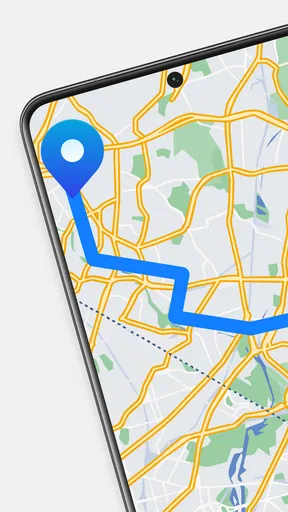
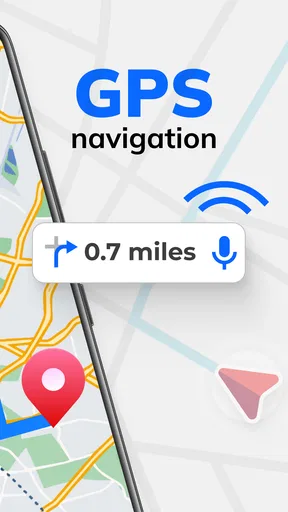
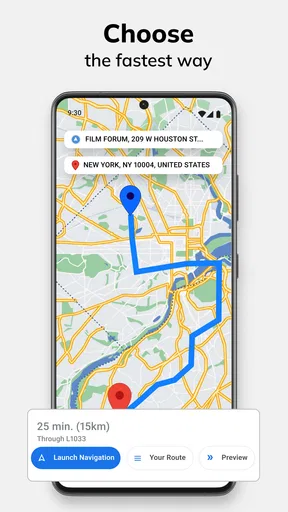
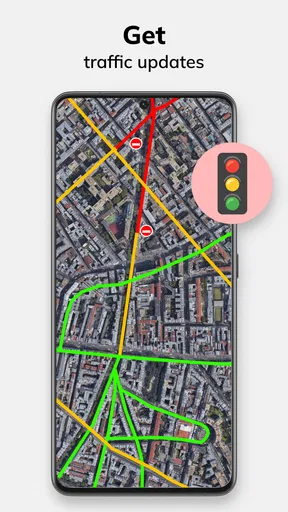
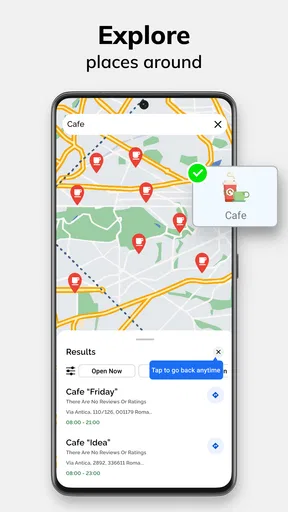
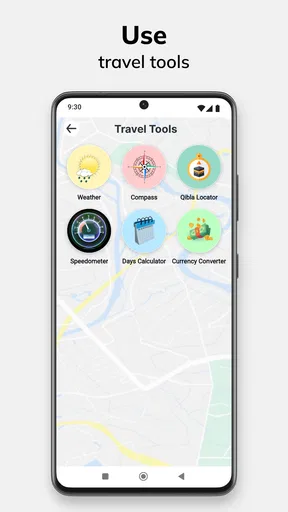
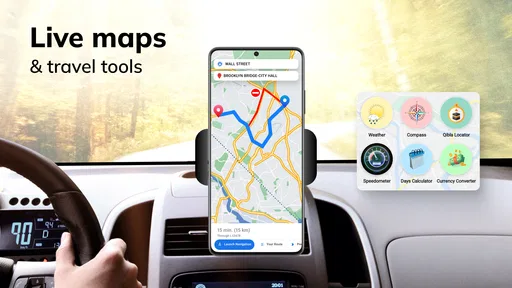
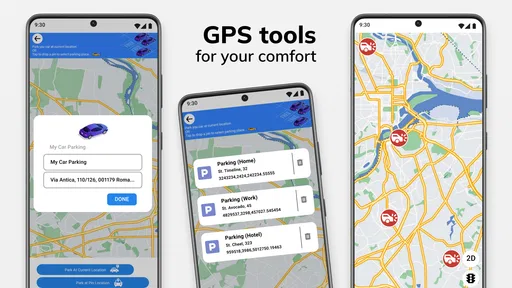
Our Review of GPS Maps Voice Navigation App
 Analysis by Appyee
For me, the most useful question about a navigation app is not how many tools it packs in, but whether it helps me make the next turn without fuss. GPS Maps Voice Navigation App puts spoken directions at the center of the experience: instead of constantly checking a screen, I can listen for guidance while keeping my attention on the road. That makes it worth considering for everyday trips, especially when I’m driving somewhere unfamiliar and want a little help without turning the journey into a technology project.
Why spoken guidance changes a drive
A map is useful when I have time to study it; voice guidance is more practical when the road needs my attention. The app’s core appeal is having directions delivered as I travel, so I can glance at the map when it helps and rely on spoken prompts for the immediate decision. It is a modest distinction, but it matters at complicated junctions, where looking down repeatedly can make a drive more stressful.
I would still treat voice prompts as assistance, not as permission to stop watching the road. A spoken instruction can be easy to miss in a noisy car, and an unfamiliar street may call for a quick look at the screen once it is safe to do so. I find the best habit is to check the route before setting off, then let audio handle the routine reminders while I stay alert to signs, traffic, and the actual road layout.
A practical way to use it
Before leaving, I would enter the destination while parked and take a moment to understand the general route. That small step makes the spoken directions easier to follow: I know whether I’m heading across town or toward a highway, rather than treating every prompt as a surprise. Once moving, I’d keep the phone positioned where it is easy to hear and, if needed, glance at the display without reaching for it.
Voice navigation is especially handy when a passenger is not available to help, or when I’m carrying something and would rather not keep handling the phone. For a new appointment, I might check the destination and route at home, start guidance before pulling away, and listen for the next turn as I approach unfamiliar blocks. The value is not that the app removes every decision; it gives me a steadier way to make them.
Where it fits among navigation choices
GPS Maps Voice Navigation App is a free maps and navigation app from GeniusTools Labs. It has a 4.8 average from around 15,000 ratings and has passed a million installs, giving a prospective user a useful sense that it has found an audience. The app is for everyone, and its current version is 1.61; it runs on Android 7.0 or later. It is also listed for iOS, so people using different phone platforms can consider it.
Compared with opening a general-purpose map app that I already use, a dedicated navigation option can be appealing if I want a straightforward route-following experience rather than a screen full of other map tasks. On the other hand, if I depend on a particular app’s familiar saved places, detailed local search, or a routine I have already set up, switching may add friction instead of removing it. I’d choose based on the trip: simple directions are a good fit here, while a familiar alternative may be better when its extra context is essential.
The listing also describes live route updates, location finding, weather, a compass, and a clock. Those extras suggest it can serve as more than a turn-by-turn aid, but I would not assume every tool is equally important on every trip. For driving, I’d focus on the route and voice prompts; the compass may be more useful when orienting myself on foot, while weather can help me think about conditions before setting out. The main benefit remains having navigation support in one place.
A realistic everyday test
Imagine I’m leaving work for an unfamiliar evening appointment across town. Before starting the car, I enter the destination and make sure the route looks sensible. Once I’m on the road, spoken instructions can take over the repetitive work of remembering each turn. If traffic or a route change affects the journey, live updates may help me adjust rather than stubbornly following my original plan. I would still use road signs and my judgment, particularly if an instruction seems unsafe or confusing.
That routine also points to a useful tip: set up the trip before you are under pressure. Searching for an address while parked is easier than trying to sort it out at a busy intersection. If I’m a passenger, I can use that time to compare the suggested route with what I already know about the area. If I’m driving alone, I can get guidance started first and leave the phone alone once moving.
For walking, a compass and location display can help me regain my bearings when streets look similar, but I would not treat a compass reading as a complete route plan. I’d use the map and my surroundings together, checking the direction of travel before setting off from a confusing corner. This is a small but practical distinction: knowing which way is north does not automatically tell me which entrance, crossing, or street is safest.
Limits worth considering
Navigation depends on a phone being usable at the moment I need it. I would plan for the ordinary friction of a trip: make sure the destination is correct, keep the device somewhere secure, and avoid depending on a last-second screen interaction. Voice prompts reduce the need to look at the display, but they do not replace attention or guarantee that every real-world turn will feel obvious.
The app is free to download, with in-app purchases listed from $0.99 to $99.99 per item. I’d check the purchase screen carefully before confirming anything and decide whether the free experience already covers my needs. That range is broad enough that I would not tap through an offer without reading what it includes. If I only need occasional directions, I’d start with the free option rather than assume paid extras are necessary.
I’d also think about habits before switching from another navigation app. If I already rely on saved addresses, familiar map details, or a particular way of planning multi-stop errands, the convenience of staying with that setup may outweigh trying a new interface. GPS Maps Voice Navigation App makes the most sense when I want an approachable navigation companion and am comfortable learning its layout, not when I need a very specific established workflow.
Who is likely to appreciate it?
I’d recommend giving it a try if you regularly drive to unfamiliar places, want spoken help for turns, or like having a few orientation tools alongside navigation. It can suit a newer driver who wants prompts as a reminder, a commuter taking an occasional detour, or someone running errands in a part of town they do not know well. Its Everyone content rating also makes it broadly suitable from an age-classification standpoint, though children should not operate a phone while a vehicle is moving.
I would skip it if I mainly want an app for specialist route planning, or if my current map app already handles my needs and I would lose useful saved information by changing. It is also not a substitute for checking road signs, planning a safe place to stop, or using judgment when conditions change. For straightforward trips, the voice-led approach is appealing; for a journey where I need details beyond basic navigation, I would compare it carefully with the tool I already trust.
Your Personal Guide on the Road
Imagine having a co-pilot right in your pocket. The GPS Maps Voice Navigation App transforms your smartphone into a detailed map with voice-guided navigation. It's like having a personal navigator who never gets tired or annoyed by your incessant driving mistakes.
The app is designed to be intuitive and user-friendly. As soon as you open it, you’re greeted with a clean interface that doesn’t overwhelm you with information. Just type in your destination, and voilà, you’re good to go. It's straightforward, which is perfect for those of us who are not exactly tech-savvy.
Features That Stand Out
One of the standout features is the real-time traffic updates. We’ve all been stuck in traffic, wishing we’d known about the pile-up beforehand. This app identifies traffic jams and suggests alternate routes, saving you time and a lot of frustration.
Another gem is the offline maps feature. Ever been in a dead zone with no signal, trying to find your way? With offline maps, you can download your route beforehand and navigate without needing an internet connection. Just remember to download the map while you have Wi-Fi!
And let’s not forget the voice navigation itself. The voice is clear and not robotic, so you won’t feel like you’re being bossed around by a machine. You can even choose different voices and languages, which is a fun touch if you want to practice your French while driving.
User Experience
The user experience is seamless. I found the app quick to load, and the transitions between screens are smooth. It didn’t glitch or freeze, which is crucial when you’re trying to make that last-minute turn.
The settings are customizable. Whether you prefer a metric or imperial system, or want to avoid toll roads, the app adjusts to your preferences. It even remembers your frequent destinations, which is handy for daily commutes.
Voice Navigation: A Game Changer
We’ve all had those moments where we’re trying to look at the map and drive at the same time. Not the safest combo, right? The voice navigation is a game changer here. Just listen and follow the instructions—no need to take your eyes off the road.
The directions are precise, with timely updates on when to turn or merge. It gives you a heads-up well in advance, so you’re not making those wild last-second lane changes. Plus, it’s great for hands-free operation, keeping you safe and focused.
Compatibility and Accessibility
The app is available for both Android and iOS, ensuring everyone can take advantage of its features. It’s compatible with almost all devices, so you don’t need the latest smartphone to use it. The installation process is a breeze, and it doesn’t hog too much storage space.
Accessibility is a big plus here. The app caters to a wide range of users, offering large icons and easy navigation for those who might have difficulty with smaller screens.
Final Thoughts
In a nutshell, the GPS Maps Voice Navigation App is a reliable companion for anyone who finds themselves on the road. It simplifies navigation, reduces stress, and enhances the overall driving experience. Whether you’re a seasoned traveler or just need help getting to the nearest coffee shop, this app has got your back.
So, next time you’re planning a trip or just running errands around town, give this app a whirl. It might just become your new favorite travel buddy, and you can finally say goodbye to those paper maps collecting dust in your glove compartment.
Verdict
Strengths of GPS Maps Voice Navigation App
- Clear voice guidance for hassle-free navigation.
- Real-time traffic updates to avoid congestion.
- User-friendly interface for easy operation.
- Offline maps available for areas with no signal.
- Customizable routes for personalized travel.
Limitations of GPS Maps Voice Navigation App
- Ads can interrupt the user experience.
- Some features require a premium subscription.
- Occasional inaccuracies in traffic data.
- Limited language options for voice guidance.
- Battery consumption can be quite high.
Other Releases by GeniusTools Labs
View All
Trace Drawing: How To Draw
Art & Design4.6

Widget 2026: Aesthetic Widgets
Personalization4.6

Sweet Editor Camera Lite
Beauty4.6

Who Is Tracking My Phone?
Tools3.9
Similar Picks in This Category
View All
Uber - Request a ride
Uber Technologies, Inc.4.7


inDrive. Rides with fair fares
® SUOL INNOVATIONS LTD4.8

Yandex Go: Taxi Food Delivery
Mikromobilnost LLC Belgrade4.8

Bolt: Request a Ride
Bolt Technology4.8

Rapido: Bike-Taxi, Auto & Cabs
Rapido Bike Taxi4.8
Frequently Asked Questions
What features does the GPS Maps Voice Navigation App offer?
The GPS Maps Voice Navigation App provides real-time navigation, voice-guided turn-by-turn directions, and offline map access. It supports multiple languages and offers live traffic updates to help avoid congestion. Users can also find points of interest, such as restaurants and gas stations, along their route.
Is the GPS Maps Voice Navigation App available offline?
Yes, the app allows users to download maps for offline use, ensuring that you can navigate even without an internet connection. This feature is especially useful for travelers in areas with limited connectivity or for those who want to save on data usage while using the navigation services.
How accurate is the real-time traffic information in the app?
The app utilizes a combination of data sources, including user reports and traffic sensors, to provide up-to-date traffic information. While generally reliable, accuracy can vary depending on factors such as location and the availability of data. It's advisable to cross-check with other sources during critical travel times.
Does the app support voice commands for hands-free operation?
Yes, the GPS Maps Voice Navigation App supports voice commands, allowing users to input destinations and control the app without using their hands. This feature enhances safety by enabling drivers to keep their eyes on the road and hands on the wheel while navigating through their journey.
Are there any subscription fees or hidden costs associated with the app?
The app is free to download and use, but it may offer in-app purchases or a subscription model for premium features, such as ad-free usage or advanced traffic updates. Users should review the app's pricing details in the App Store or Google Play Store to understand any potential costs before downloading.
